
higashi
Hi, I’m Higashi.
Here’s how to display the coordinates of a point you click in an image.
Let’s get started!
Required libraries
• OpenCV
• NumPy
Install these libraries if you don’t already have them.
Sample code for displaying clicked coordinates
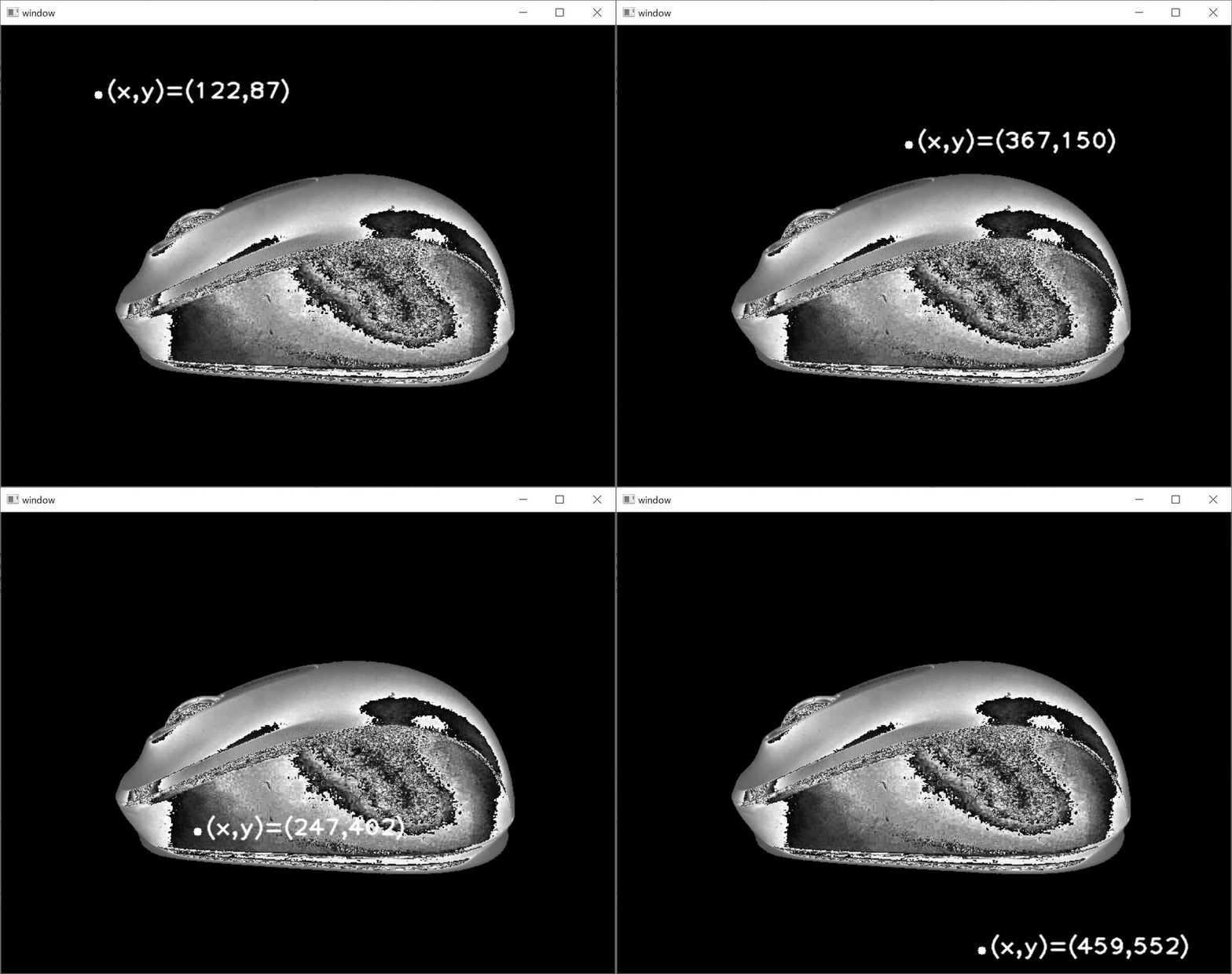
The program below marks the point you click and shows its coordinates.
import cv2
import numpy as np
file_name='sample.jpg'
img=cv2.imread(file_name,cv2.IMREAD_GRAYSCALE)

def click_pos(event, x, y, flags, params):
    if event == cv2.EVENT_LBUTTONDOWN:
        img2 = np.copy(img)
        cv2.circle(img2,center=(x,y),radius=5,color=255,thickness=-1)
        pos_str='(x,y)=('+str(x)+','+str(y)+')'
        cv2.putText(img2,pos_str,(x+10, y+10),cv2.FONT_HERSHEY_PLAIN,2,255,2,cv2.LINE_AA)
        cv2.imshow('window', img2)

cv2.imshow('window', img)
cv2.setMouseCallback('window', click_pos)
cv2.waitKey(0)
cv2.destroyAllWindows()
Here’s what it does:
- Load the image.
- Display it in a window.
- Read the coordinates when you click.
- Draw a marker and the coordinates on the image, then display it again.
Show the coordinates as the mouse moves
You can also show the cursor’s coordinates as it moves across the image, as in the video below.
Here’s the modified code.
import cv2
import numpy as np
file_name='mouse.jpg'
img=cv2.imread(file_name,cv2.IMREAD_GRAYSCALE)

def mouse_move(event, x, y, flags, params):
    if event == cv2.EVENT_MOUSEMOVE:
        img2 = np.copy(img)
        cv2.circle(img2,center=(x,y),radius=5,color=255,thickness=-1)
        pos_str='(x,y)=('+str(x)+','+str(y)+')'
        cv2.putText(img2,pos_str,(30, 30),cv2.FONT_HERSHEY_PLAIN,2,255,2,cv2.LINE_AA)
        cv2.imshow('window', img2)

cv2.imshow('window', img)
cv2.setMouseCallback('window', mouse_move)
cv2.waitKey(0)
cv2.destroyAllWindows()
Replace cv2.EVENT_LBUTTONDOWN, the left-click event, with cv2.EVENT_MOUSEMOVE, the mouse-movement event.
Use click events for points you want to mark, or mouse-move events for live coordinates.
Thanks for reading!
コメント