Hi, I’m Higashi.
Here’s how to measure the straight-line (Euclidean) distance between two points you click in an image with Python and OpenCV.
Left-click the starting point and right-click the end point.
Let’s get started!
Required Python modules
The example uses these modules:
• OpenCV
• NumPy
• math (part of Python’s standard library)
Install OpenCV and NumPy if you don’t already have them.
Sample image and scale
I’ll use the image below.
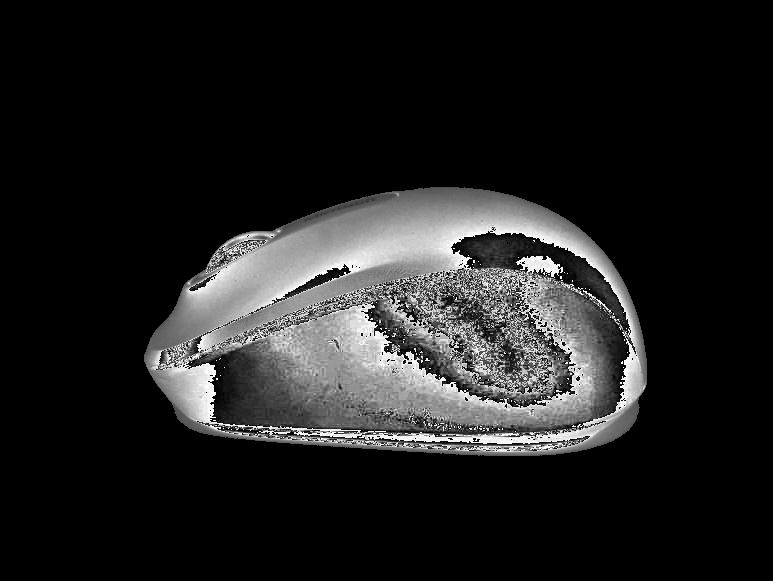
The image has a known scale of 0.178 mm per pixel.
The program uses that scale to convert pixels to millimeters.
Use the measured scale for your own image.
Sample code for measuring the distance
Here’s the code used in the video at the start of the article.
import cv2
import numpy as np
import math
file_name='sample.jpg'
kaizo=0.178 #mm/piexl
img=cv2.imread(file_name,cv2.IMREAD_GRAYSCALE)
x1,y1=0,0
counter=1
def click_length(event, x, y, flags, params):
    global x1,y1,img2,counter,kaizo
    if event == cv2.EVENT_LBUTTONDOWN:
        counter=0
        x1=x
        y1=y
    elif event == cv2.EVENT_MOUSEMOVE and counter==0:
        img2=np.copy(img)
        cv2.circle(img2,center=(x1,y1),radius=5,color=255,thickness=-1)
        cv2.line(img2,(x1,y1),(x,y),255, thickness=1, lineType=cv2.LINE_4)
        cv2.imshow('window', img2)
    elif event == cv2.EVENT_RBUTTONDOWN:
        counter=1
        img3=np.copy(img2)
        x2=x
        y2=y
        piexl=math.sqrt((x1-x2)**2+(y1-y2)**2)
        length=round(piexl*kaizo,3)
        length_str=str(length)+'mm'
        cv2.circle(img3,center=(x2,y2),radius=5,color=255,thickness=-1)
        cv2.putText(img3,length_str,(30, 50),cv2.FONT_HERSHEY_PLAIN,2,255,2,cv2.LINE_AA)
        cv2.imshow('window', img3)
cv2.imshow('window', img)
cv2.setMouseCallback('window', click_length)
cv2.waitKey(0)
cv2.destroyAllWindows()
Change the filename on line 4 and the scale on line 5.
How to measure a distance
Follow these steps when the program runs:
- Run the program to open the image in a new window.
- Left-click the starting point.
- Right-click the end point.
- Repeat steps 2 and 3 to measure another distance.
Here’s the demonstration again.
Thanks for reading!
コメント